Building Stem
Building Stem: a self-hosted URL shortener on Cloudflare Workers


You paste a long URL. You get a short one. A click redirects whoever follows it. That's the entire job of a link shortener, and most of them stop right there.
I wanted a bit more. I share enough links that I wanted my own short domain, and I didn't want to hand my click data to a SaaS to get it. So I built Stem: a single-user link shortener that runs entirely on Cloudflare's edge. It's open source (github.com/kevin-burns/stem, MIT), and the starting point was mfyz.com's "Build a URL shortener with Cloudflare Workers" guide. I took the core idea and built the safety, auth, and tooling I actually wanted around it.
By the end of this post you'll see how it:
- redirects and expires links without keeping an analytics trail
- refuses to shorten dangerous or tracking-laden URLs
- authenticates a single user without a login form
- generates QR codes and shortens the current tab from a browser extension
The shape of it
Stem is a small npm-workspaces monorepo with three parts:
shared/: framework-free TypeScript for validation, slug rules, URL-safety checks, and tracking-param stripping. Both the worker and the extension import it, so the rules live in one place.worker/: the Cloudflare Worker. Hono for routing, D1 (Cloudflare's edge SQLite) for storage, the auth middleware, and the safety pipeline.extension/: a Manifest V3 browser extension that shortens the current tab.
Deploys go through Wrangler 4. Tests run on Vitest with @cloudflare/vitest-pool-workers, which executes them inside the real Workers runtime instead of a mock. Everything is TypeScript in strict mode.
Redirects and disposable links
The core is boring on purpose. A short link is one row in D1: a slug, a destination, a created-at, and two optional limits. A request to /:slug looks it up and returns a 302, not a 301.
That choice matters. A 301 is cached as permanent, so a disabled or expired link can keep resolving from someone's browser cache long after you kill it. A 302 takes effect on the next click. For a tool whose whole point is control over your links, that's the right default.
Two limits make links disposable:
- Expiry: a timestamp after which the link stops resolving.
- One-time use: a max-click count. Set it to 1 and the link self-destructs after the first visit.
Click counts are a plain integer. No IP logging, no per-visitor records. I wanted "how many times was this clicked," not a surveillance log.
Slugs come from crypto.getRandomValues with rejection sampling over a URL-safe alphabet, so the distribution stays even and there's no modulo bias. A small reserved list stops a generated slug from colliding with a real route like admin.
Keeping bad links out
This is the part most "shorten a URL" tutorials skip, and it's the part I most wanted. Before a destination is ever stored, it runs through a pipeline:
- Scheme allowlist.
httpandhttpsonly. Nojavascript:, nodata:. - Normalisation. Parse and re-serialise the URL so two spellings of the same address don't slip through.
- Anti-SSRF. Reject private and internal hosts (
localhost,127.0.0.1, RFC-1918 ranges, and friends) so the shortener can't be used to probe internal infrastructure. - Self-reference block. Refuse to shorten the short domain pointing at itself, which would create a redirect loop.
- Reputation check. A pluggable lookup, defaulting to Google Safe Browsing.
That last one sits behind an interface, so swapping in Cloudflare's Intel API or turning it off is a config change rather than a rewrite. It fails open, because a reputation-service outage shouldn't stop you from shortening a clearly fine link, and it only ever logs the error class, never the destination URL.
On top of safety, there's a tracking-param stripper in the spirit of (Mac OS app) Pure Paste. utm_*, gclid, fbclid, and the rest get removed before the URL is saved, and the API response tells you what it dropped. The strip list isn't hand-maintained. A script regenerates it from the AdGuard URL Tracking filter, plus a targeted rule for Amazon affiliate tags that's anchored to real amazon.* hosts, so a spoofed amazon.com.evil.example doesn't match.
Auth without a login form
It's single-user, so I didn't want to build accounts. Instead I put Cloudflare Access (Zero Trust) in front of /admin and /api/* and restricted it to my own identity. That's the front door.
The worker doesn't just trust the edge, though. It independently verifies the Access JWT with jose against the team's JWKS, as a second layer. The API also accepts a constant-time-compared bearer token as an alternative, with an empty-token guard so timingSafeEqual("", "") can't quietly become a bypass.
The browser extension can't do an interactive login, so it authenticates with a Cloudflare Access service token (the CF-Access-Client-Id and CF-Access-Client-Secret headers). Here's the gotcha that cost me an afternoon: the Access policy has to use the Service Auth action, not Allow. An Allow policy with a valid service token still expects an interactive login and rejects the request with service_token_status:false. Switch the policy action to Service Auth and the extension goes from "Failed to fetch" to a clean 200 status code.
The browser extension
The extension is Manifest V3, bundled with esbuild, and it reuses the validation from shared/, so the popup and the worker agree on what a valid slug is. It shortens the active tab in one click, with an optional custom slug and expiry, a searchable recent-links list, and the same tracking-param stripping.
Permissions are least-privilege. It asks for host access to your short domain only, through optional_host_permissions, granted at runtime. One Firefox lesson worth saving: permissions.request() has to run from a live user gesture, so the popup requests the host permission before it awaits anything like saving settings. Await first and Firefox drops the activation and denies the request.
QR codes that look the part
I added QR generation late, and tried to do it once. There's a single qrSvg(text) function in shared/ (wrapping the MIT-licensed qrcode-generator) that emits a clean, deterministic SVG. Same input, byte-identical output, no DOM required. Both surfaces use it:
- The extension renders it client-side in an overlay.
- The dashboard calls a small worker route,
GET /api/links/:slug/qr, that returns the SVG. A same-origin<img>just works, because the Access session rides along with the request.
There's also an optional "scan me" card: a rounded frame with a caption, in the Bitly style, plus a Copy image button that puts a PNG on the clipboard.
That copy button taught me two browser quirks worth writing down:
- Drawing an SVG
<img>element straight onto a canvas can taint the canvas in Chromium, which then refusestoBlob. Loading the SVG through adata:URL instead keeps the canvas clean. navigator.clipboard.writehas to be called synchronously inside the click. Await the rasterisation first and you've spent the user-activation window, so the write fails withNotAllowedError. The fix is to callclipboard.writeimmediately and handClipboardItema Promise of the blob.
Testing, secrets, and shipping
There are well over a hundred tests across the worker and extension, run in the real Workers runtime. CI is just typecheck and test on every push. Nothing fancy, but the safety pipeline and the auth guards have regression coverage, which is exactly where I'd be nervous about a silent break.
The constraint I held the whole way: no secrets in the repo, so it could go public. Every credential, including the short-link hostname itself, is set at deploy time through Wrangler secrets and never committed. The wrangler.toml ships with a placeholder database id; the real one stays local through git update-index --skip-worktree. Design docs live in a git-ignored folder. Before publishing I scanned the working tree and the full git history for the hostname and the database id, and both came back clean.
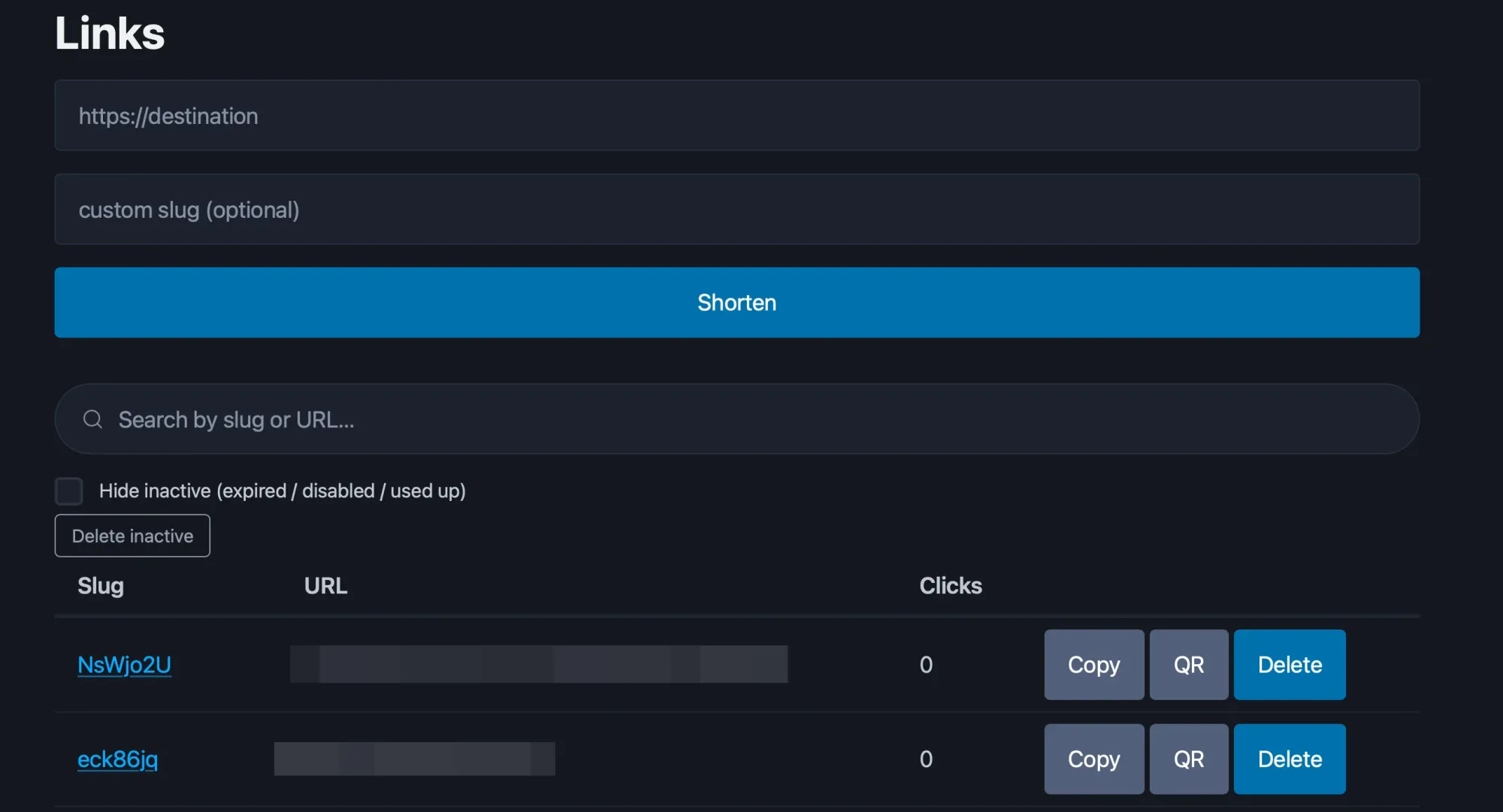
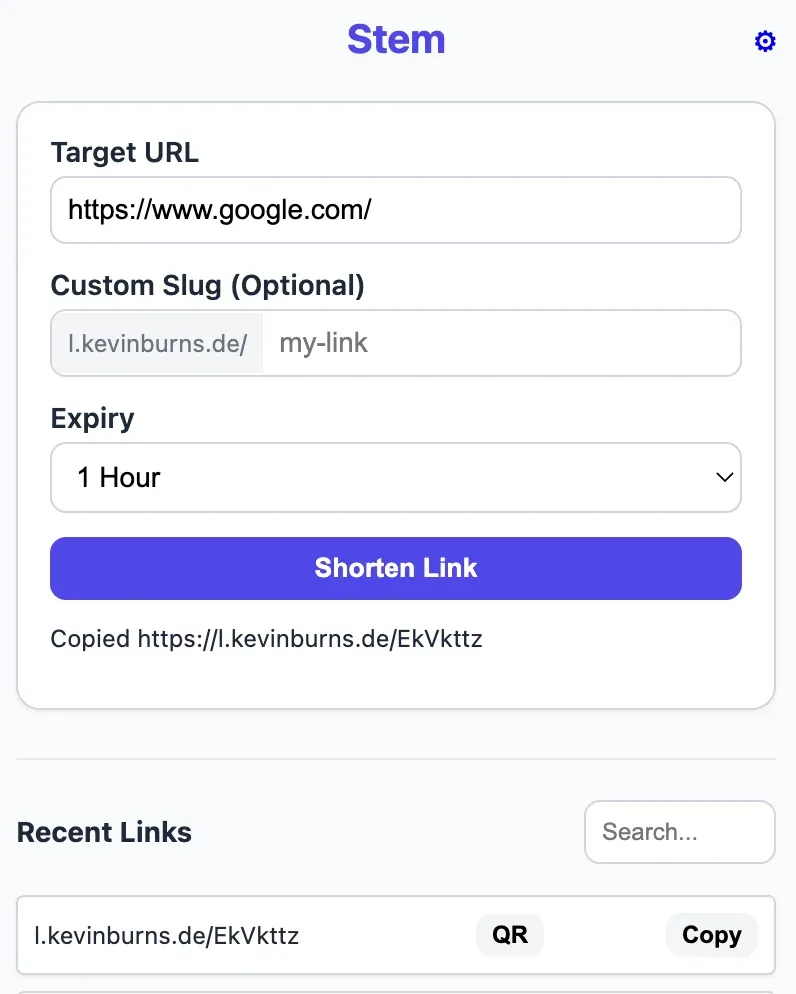
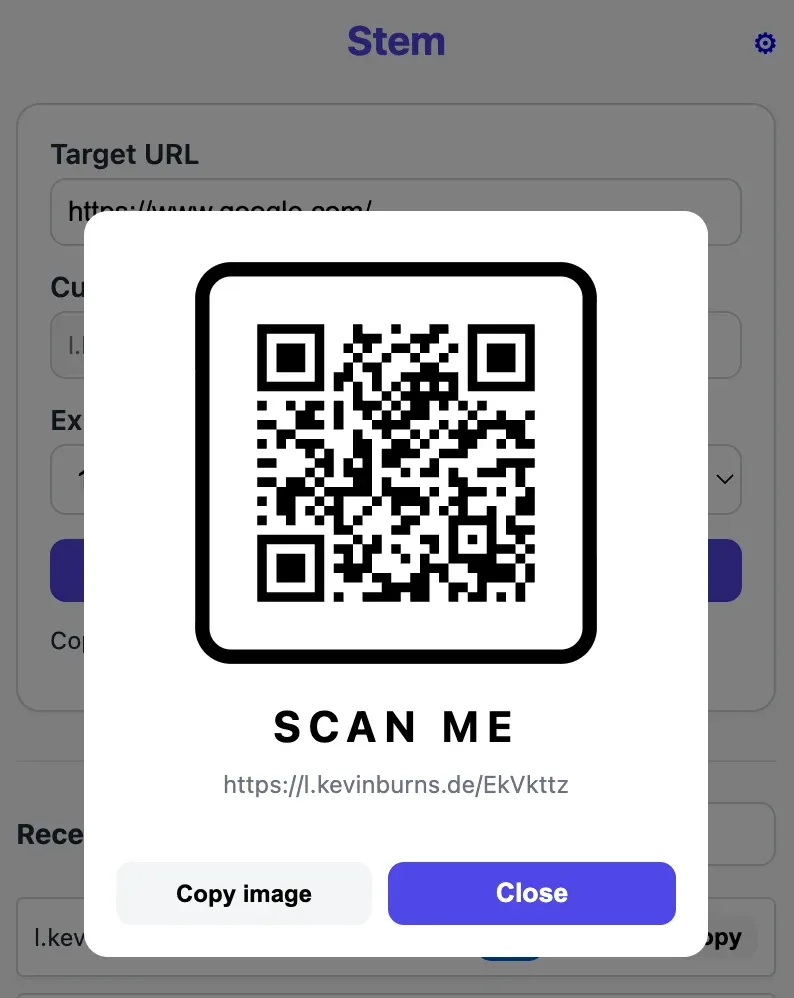
Stem - screenshots admin panel and web extension
Try it
The code is at github.com/kevin-burns/stem under MIT. It's built for one person on one short domain, which keeps it genuinely small to stand up: create a D1 database, set a few secrets, put Access in front, deploy. If you're already on Cloudflare and you want your own link shortener, it's a weekend at most, and you keep your own click data.
Built with Hono, Cloudflare Workers and D1, and Cloudflare Access. Link safety from Google Safe Browsing and the AdGuard URL Tracking filter. QR via qrcode-generator (MIT).